
Own product / private code
Igris: a personal AI operating system
One app for personal life, memory and engineering: an AI conversation that acts on the system, calendar, planning, finance, health, English and a forge where coding agents work for me.
- Case
- igris
- Code
- Private
- Stack
- Next.js 16 / React 19 / TypeScript
- 13
- areas in a single app
- 10
- connectable AI providers
- 3
- screens: Mac, tablet and phone
- AES-256
- on financial and personal data
§ Overview
Igris exists to shorten the distance between having an idea and acting on it. Everything goes through a conversation: I ask in plain language and it creates the task, blocks the calendar, stores a memory or opens an engineering mission, always with a receipt and an undo button. Underneath, an in-house engine routes work across Claude Code, Codex and other models, with a daily budget, automated checks and human approval before anything reaches production. It runs on Mac, tablet and phone, with sensitive data encrypted on my own server.
- Next.js 16
- React 19
- TypeScript
- SQLite
- Node.js
- Claude Code
- Codex
- OpenAI Realtime
- Gemini Live
- Web Push
- VPS
The code is private. If you want to see Igris running, I can demo it on a call.
B/01
Challenges
- Personal life, work and projects scattered across dozens of apps
- AI assistants that talk but don't act, or act without a trace
- Coding agents running with no budget, no checks and no approval
- Context lost between conversation, calendar and memory
B/02
Solutions
- A conversation that acts on the system with receipt, source and undo on every action
- Memory with hypotheses: Igris only uses what you confirmed
- Mission engine with budget, test gates and human approval
- Routing across providers and accounts, with automatic fallback when one goes down
B/03
Features
- Ask Igris from any screen with ⌘K
- Live voice with automatic provider fallback
- Push notifications and an installable phone app
- Workspaces separating personal, companies and clients
- Encrypted financial data and secrets only by reference
§ Inside, screen by screen
11 screens- igris / TodayLive app
T/01
Today
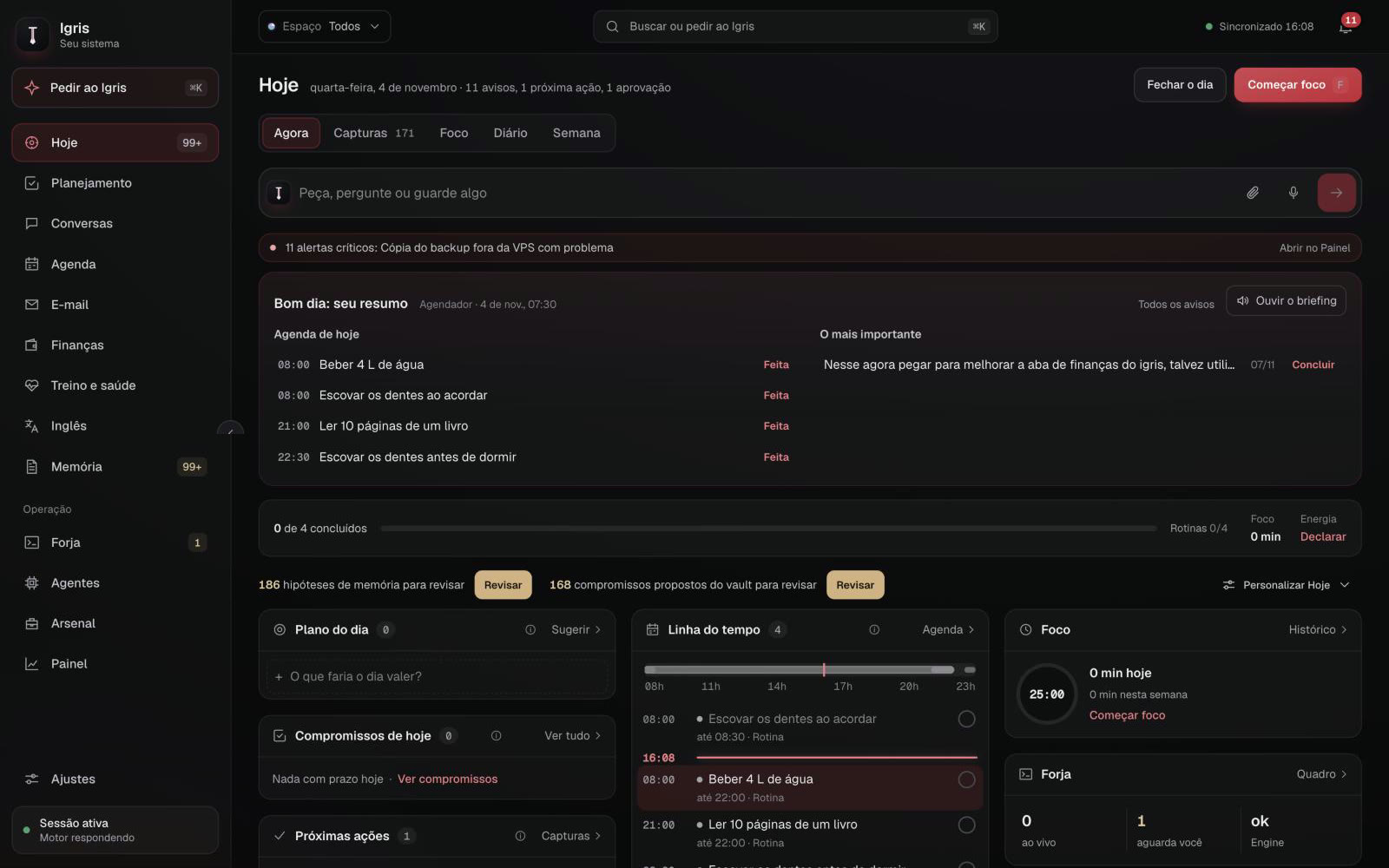
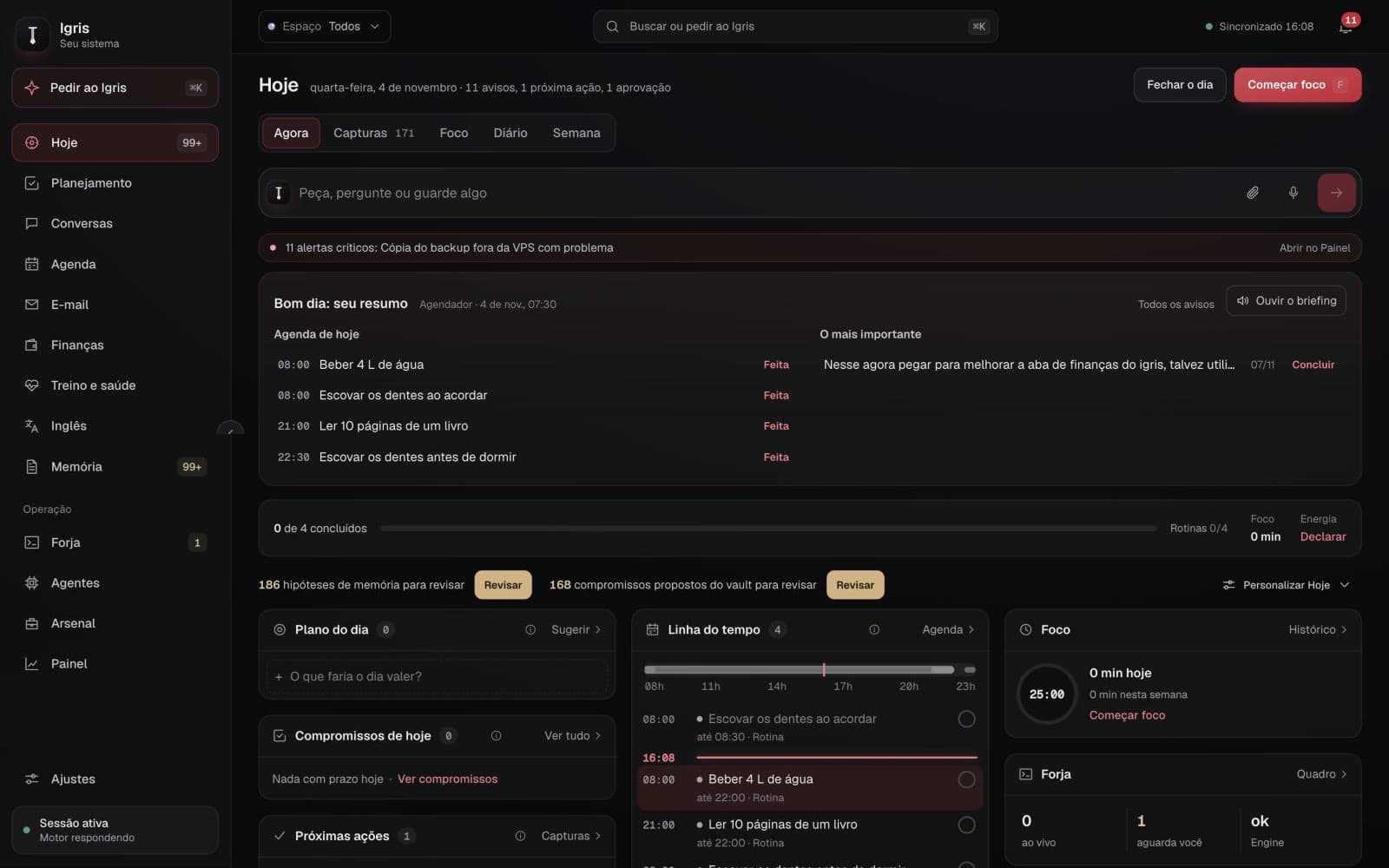
The opening screen of the day. It starts with a briefing generated at 7:30 that can be played as audio, and brings routines, the day plan, timeline, focus and what engineering is waiting on me for.
- Morning briefing with the agenda and what matters most
- "Ask, question or save something" bar wired to the conversation
- Memory hypotheses and proposed commitments waiting for review
- igris / Training and healthLive app
T/02
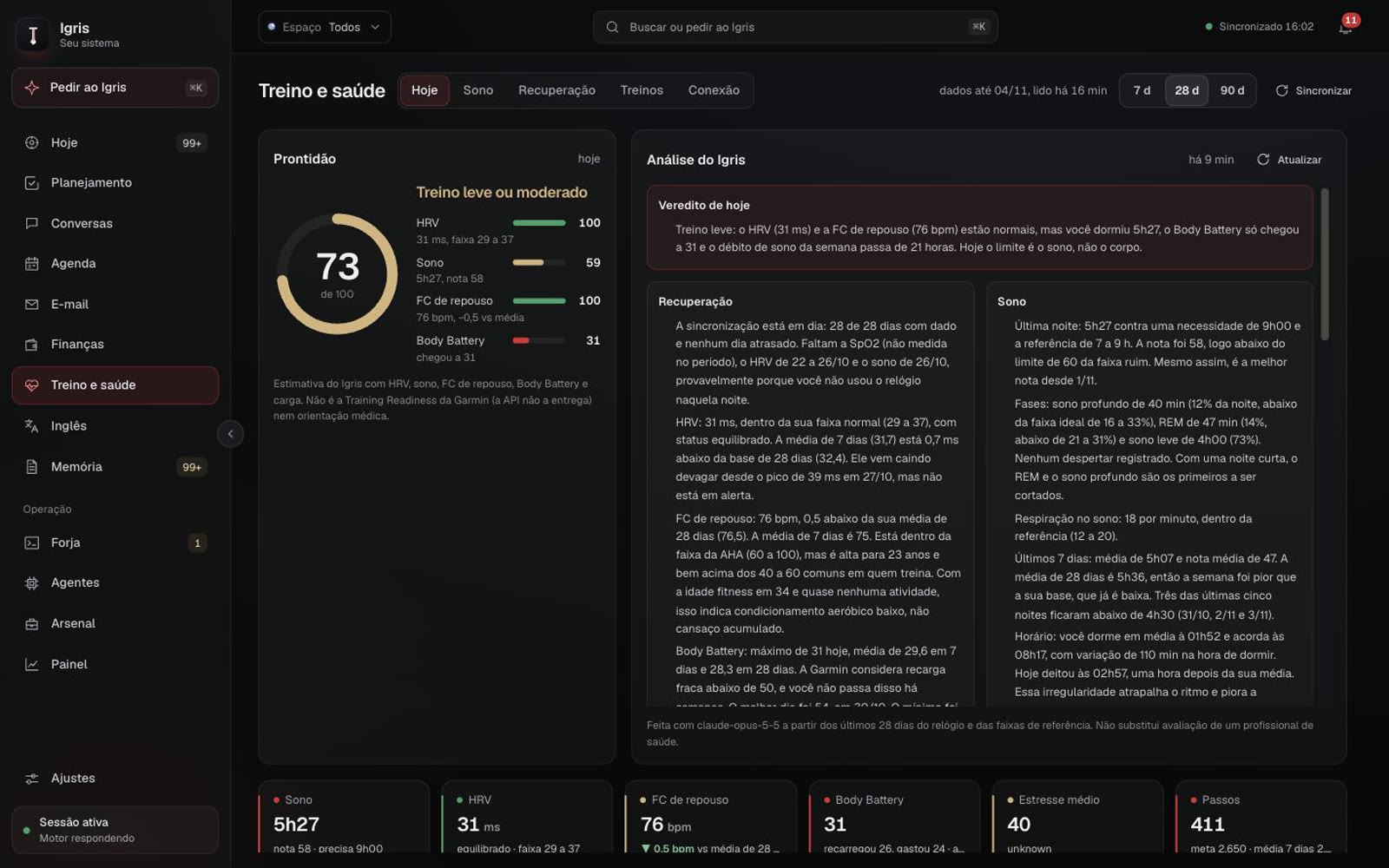
Training and health
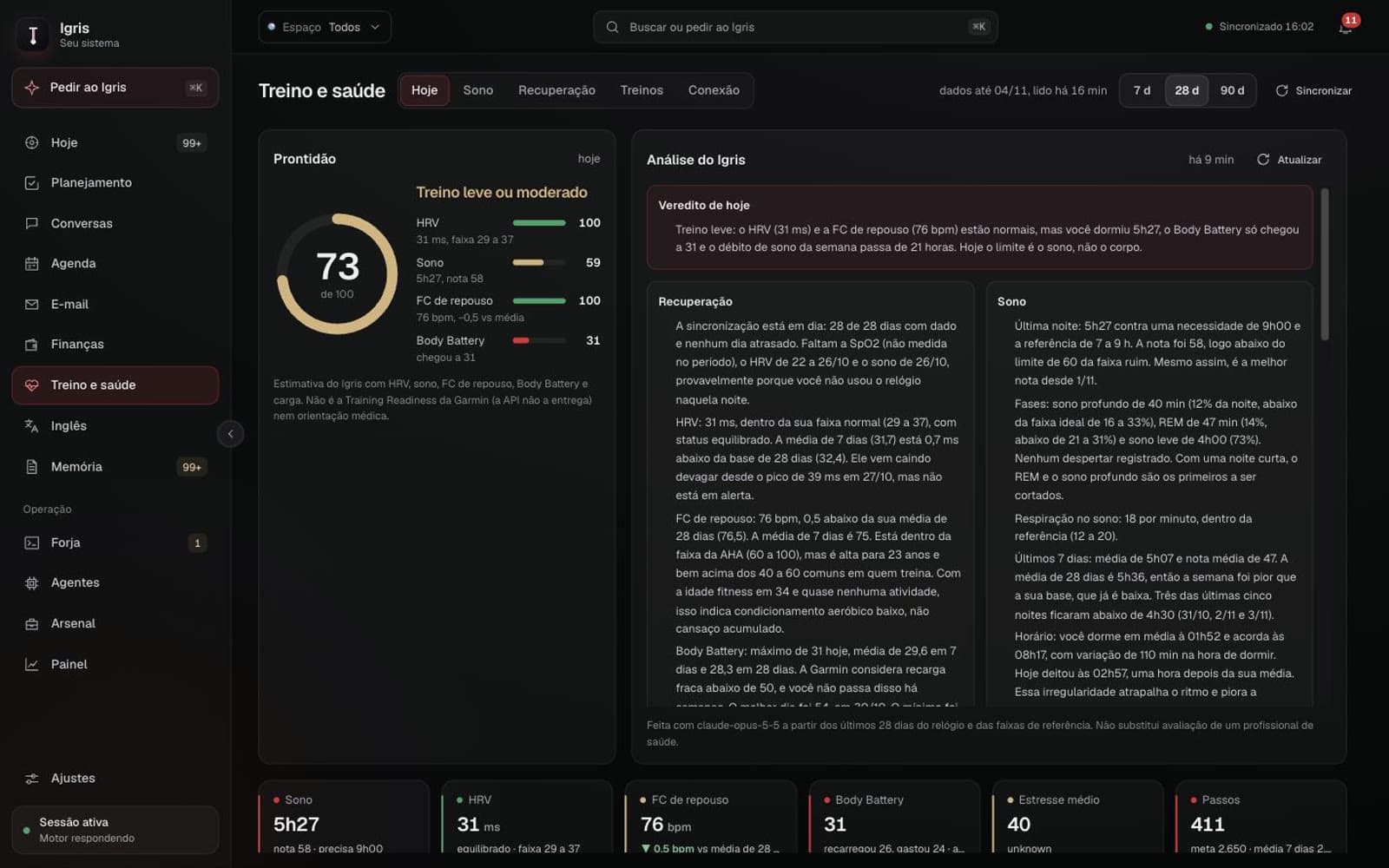
Garmin watch data becomes a 0 to 100 readiness score computed by Igris from HRV, sleep, resting heart rate and Body Battery. An AI analysis explains the day and what to do with training.
- Daily verdict with recovery and sleep explained in plain language
- Personal reference ranges over 7, 28 and 90 days
- Sleep, HRV, resting HR, stress and steps always in sight
- igris / FinanceLive app
T/03
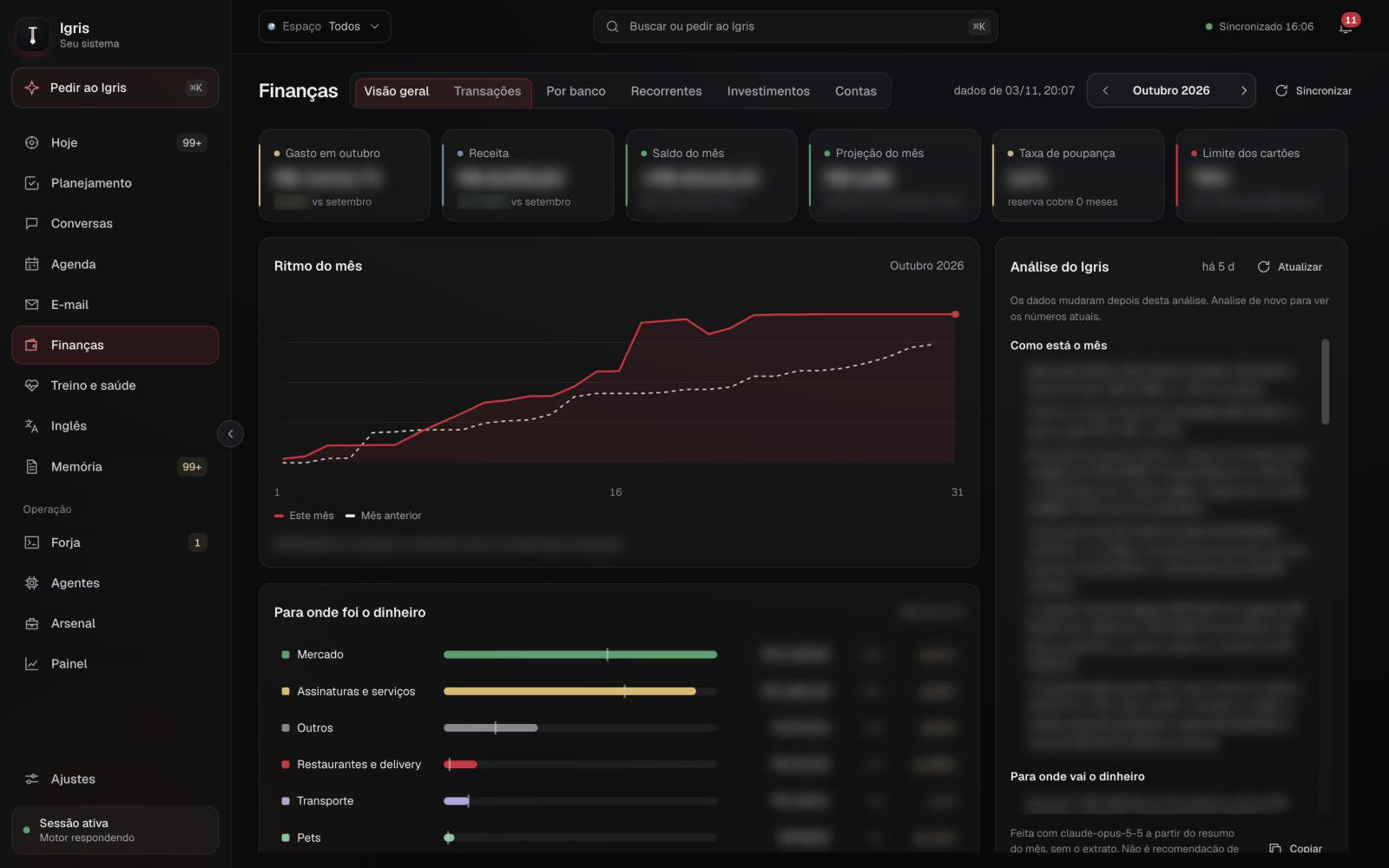
Finance
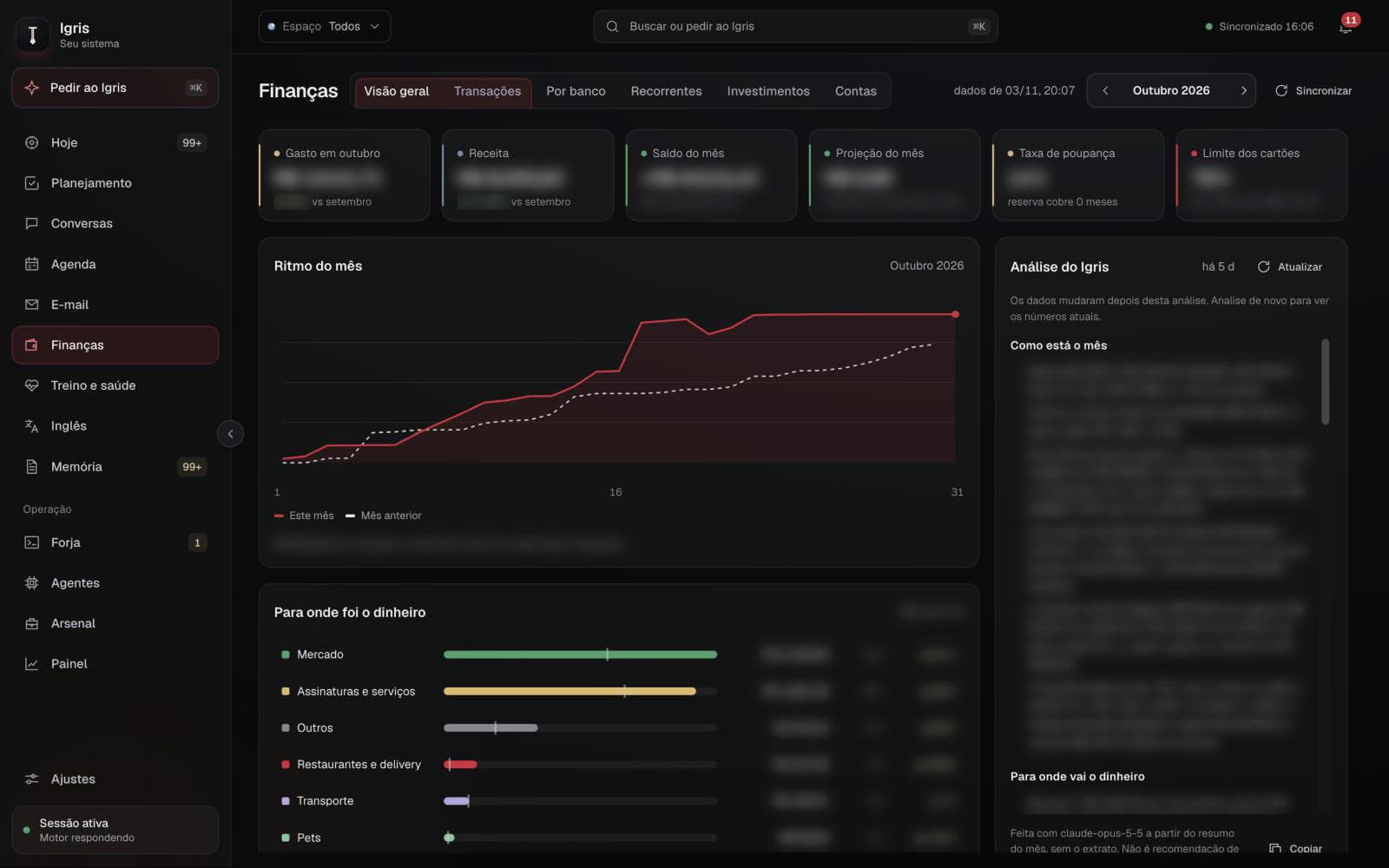
Accounts and cards connected through open finance. The month is compared with the previous one, with income, balance, projection, savings rate and card limit usage, and an AI analysis shows where the money goes.
Values blurred on purpose.
- Month pace against the same day of last month
- Where the money went, by category and with change
- All encrypted with AES-256 and account numbers kept to 4 digits
- igris / EnglishLive app
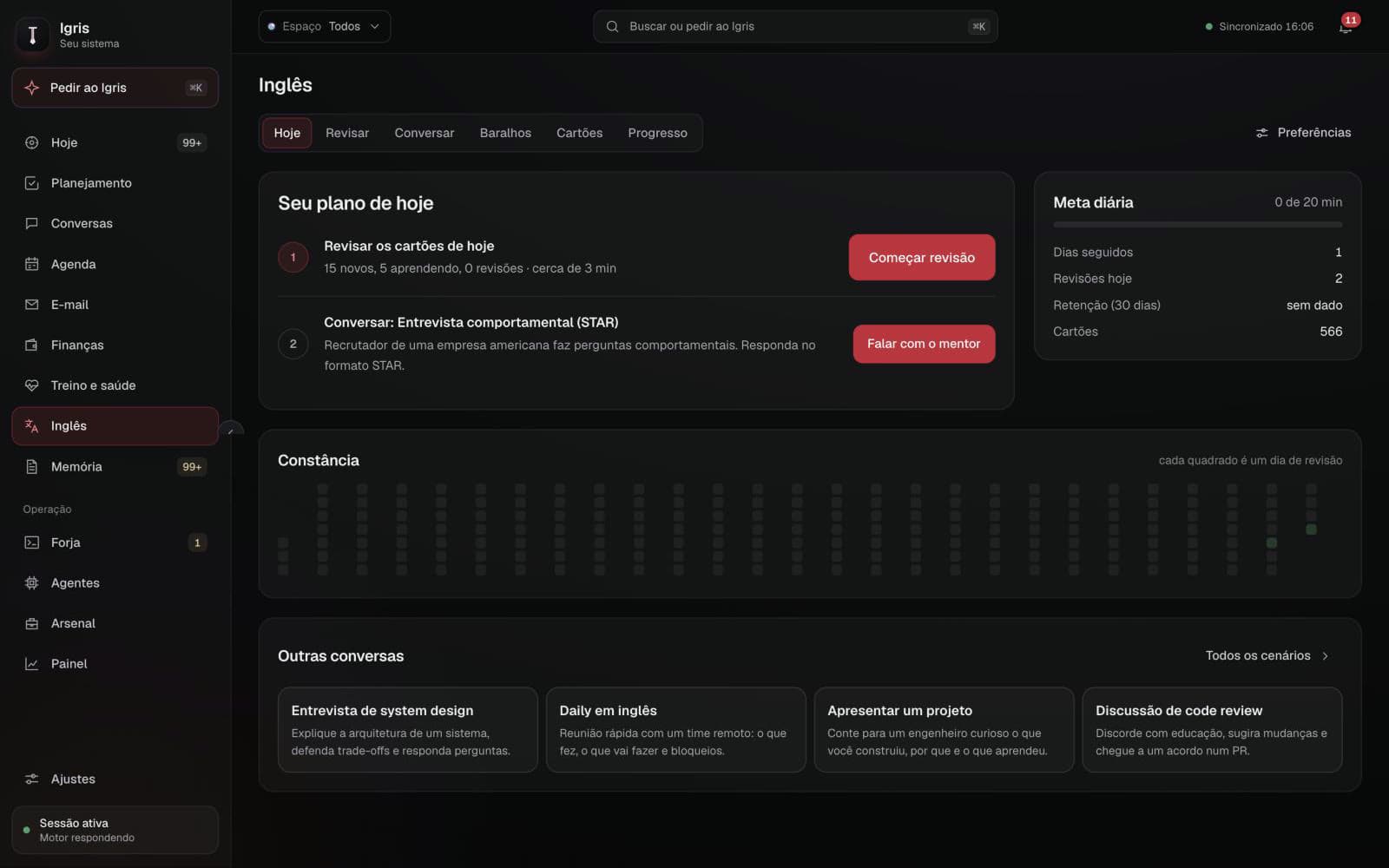
T/04
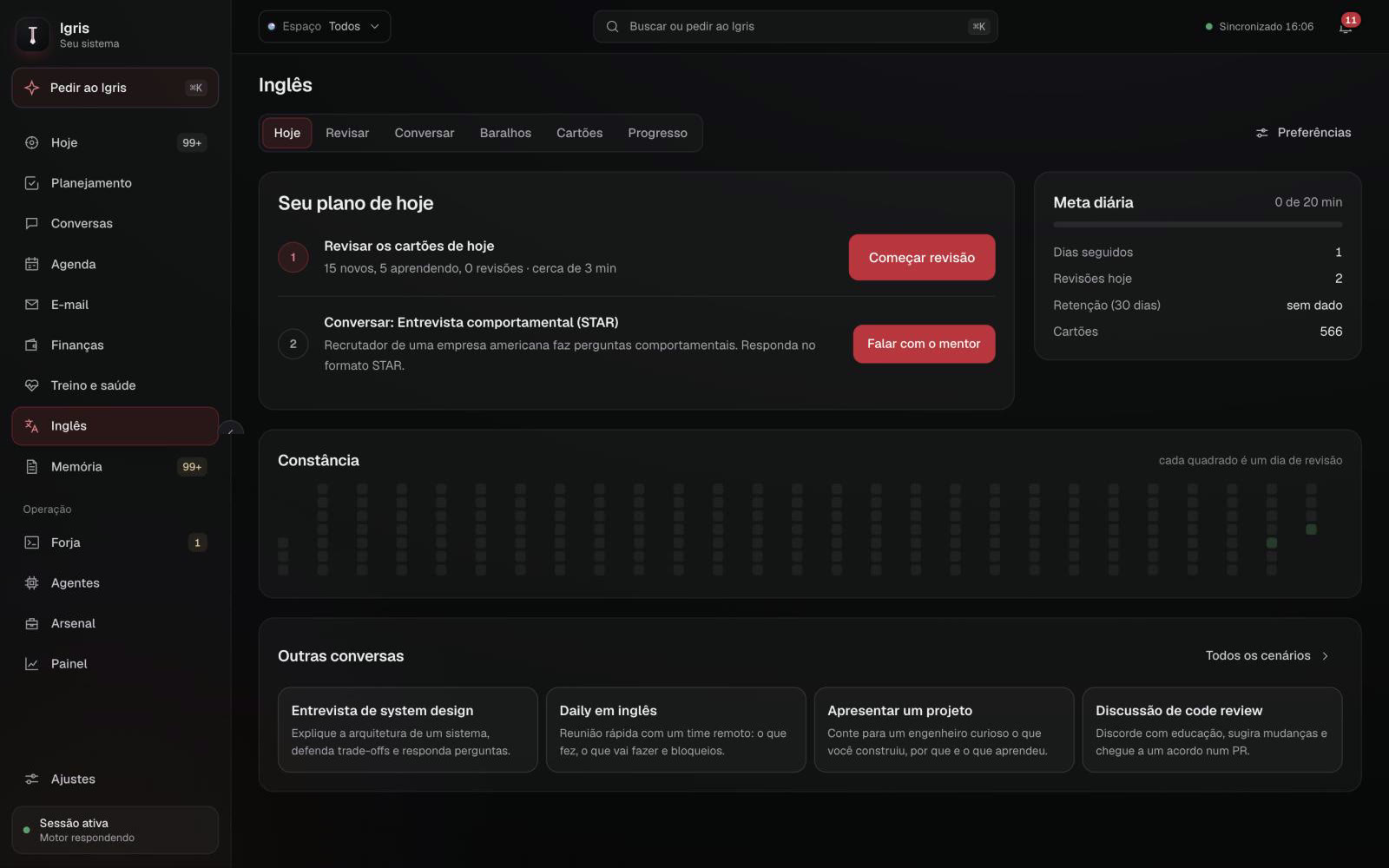
English
A daily English plan: spaced repetition over a 566-card deck and voice conversations with an AI mentor in real work scenarios.
- Scenarios like STAR interviews, system design, standups and code review
- Daily goal, streak and consistency map
- Real-time voice mentor
- igris / ForgeLive app
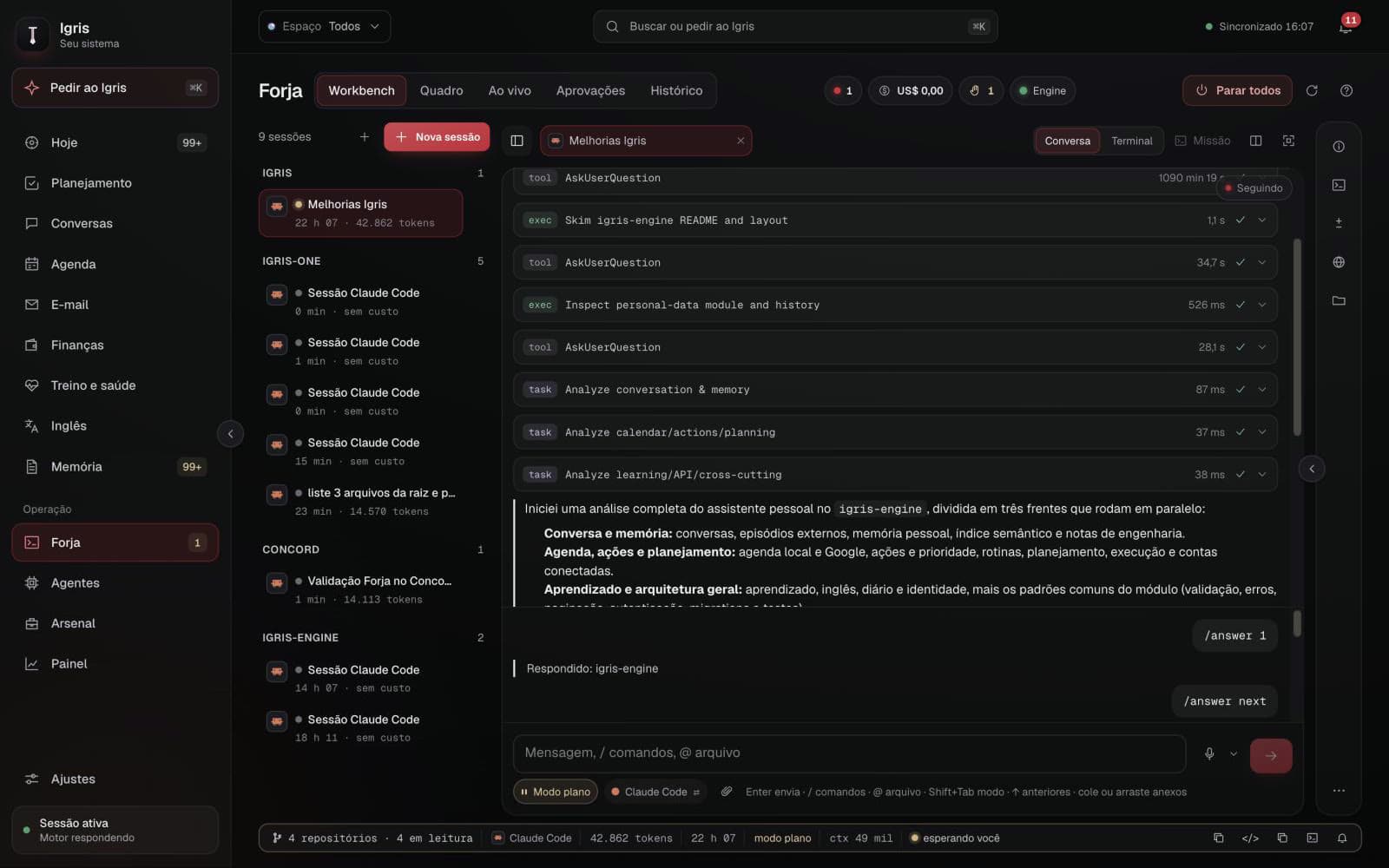
T/05
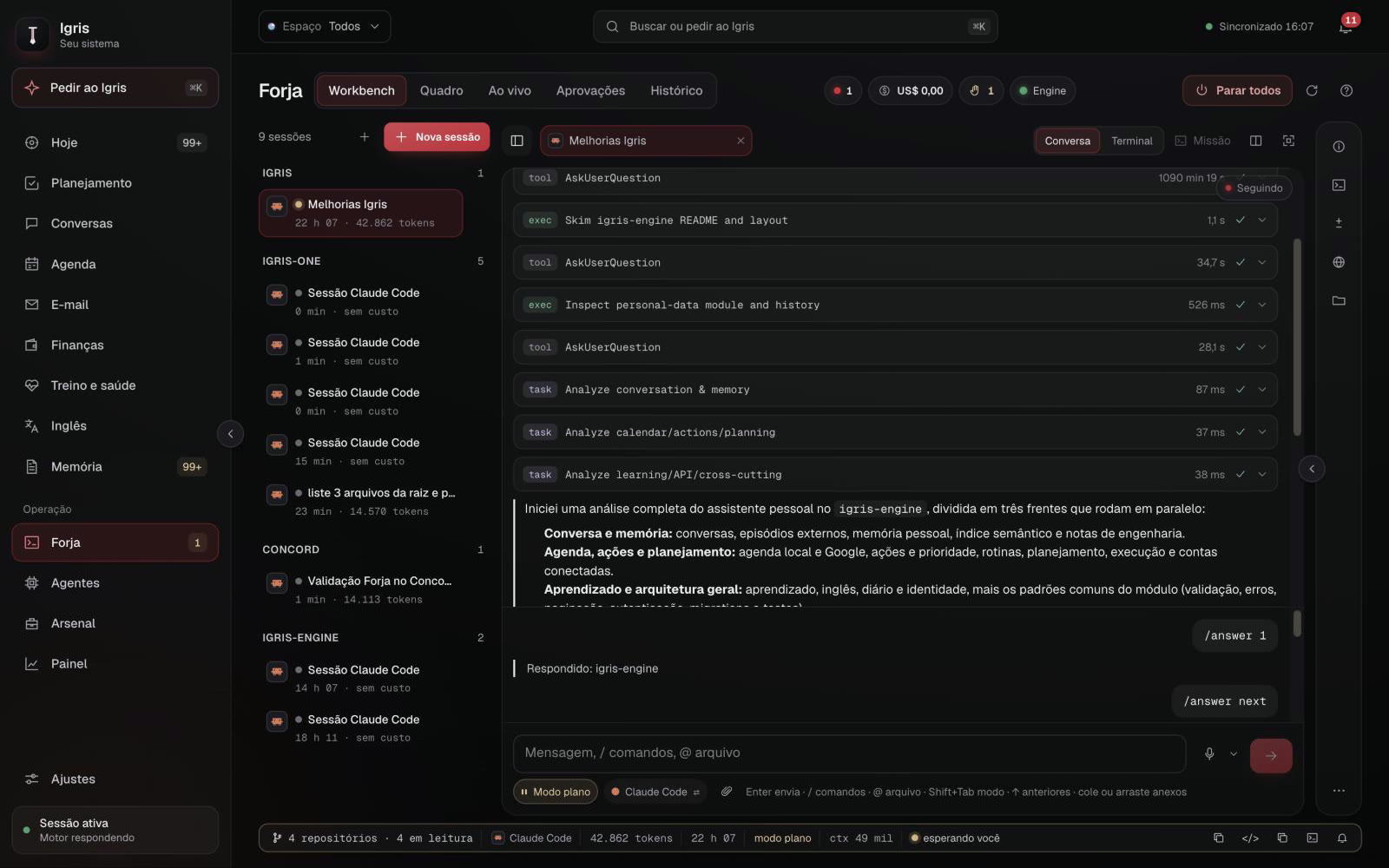
Forge
Where coding agents work for me. Claude Code sessions grouped by repository, with live chat and terminal, plan mode, tokens and cost, all trackable from the phone.
- Workbench, board, live, approvals and history
- Daily budget and a button to stop every agent
- Nothing ships to production without my approval
- igris / AgentsLive app
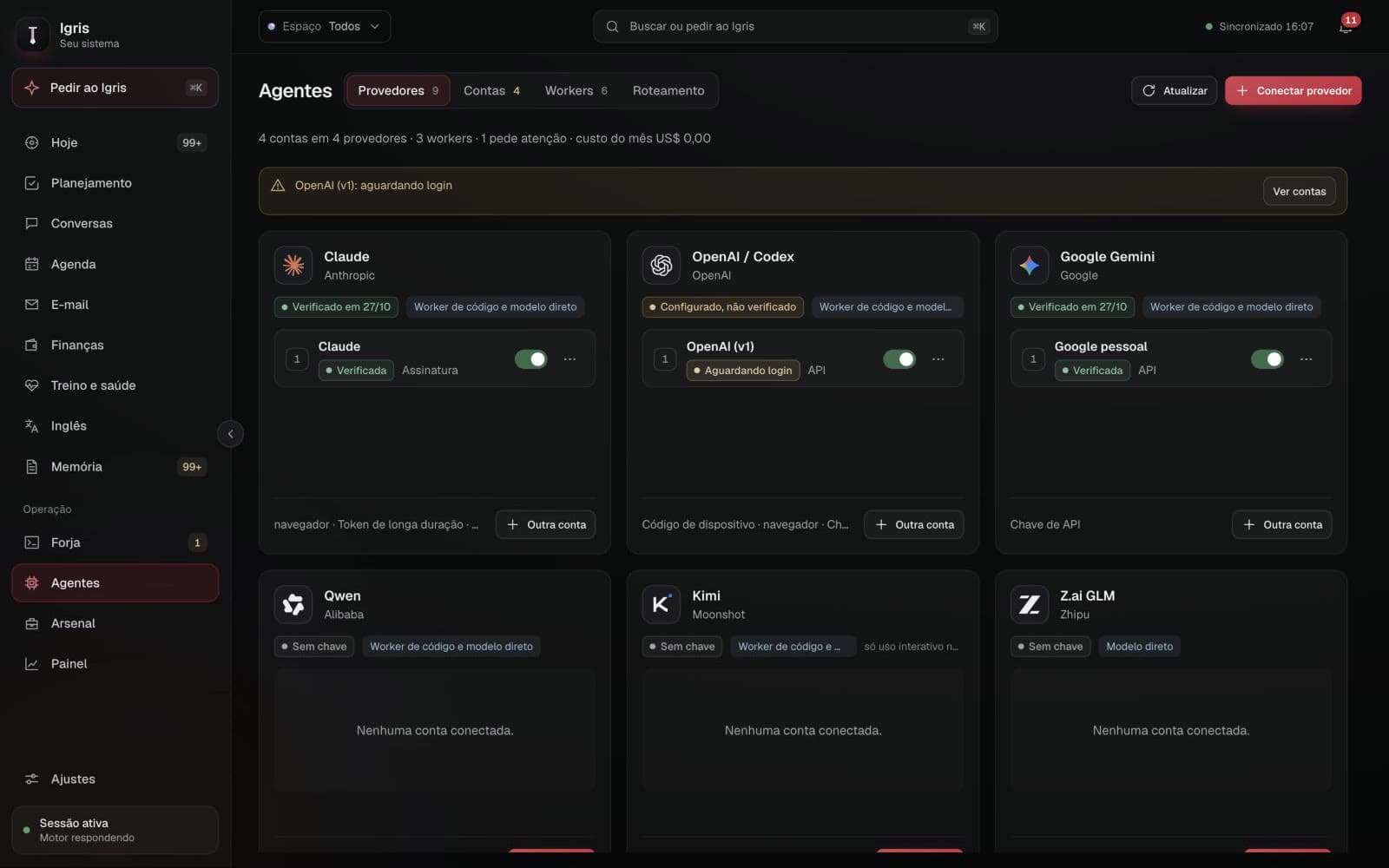
T/06
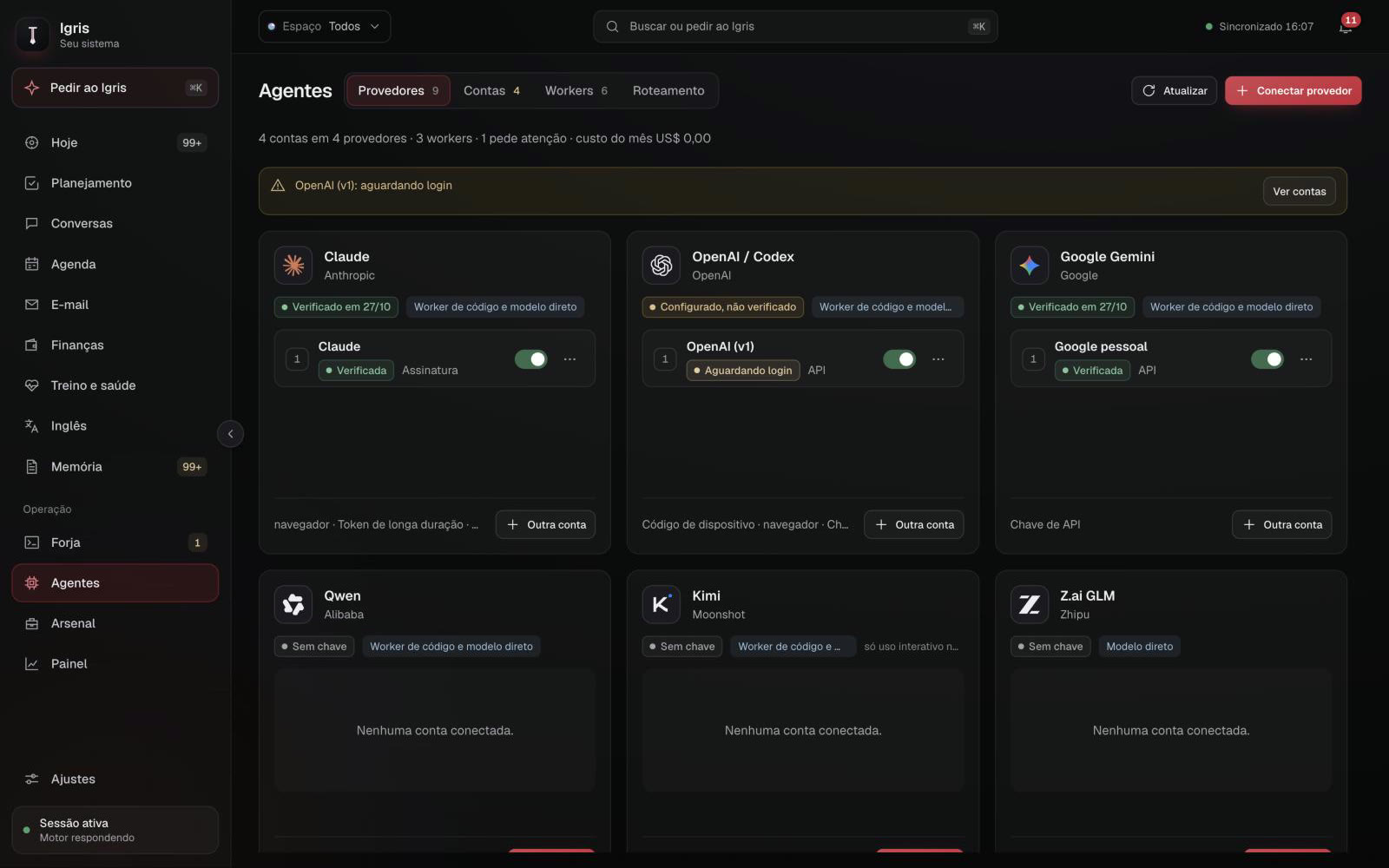
Agents
Who works for me. Verified providers, several accounts per provider, workers on the Mac and the server, and routing by task level, quota and cost.
- Claude, OpenAI, Gemini, Qwen, Kimi, GLM and more
- Connect via browser, device code or key
- Alerts for pending logins, hit limits and rejected keys
- igris / DashboardLive app
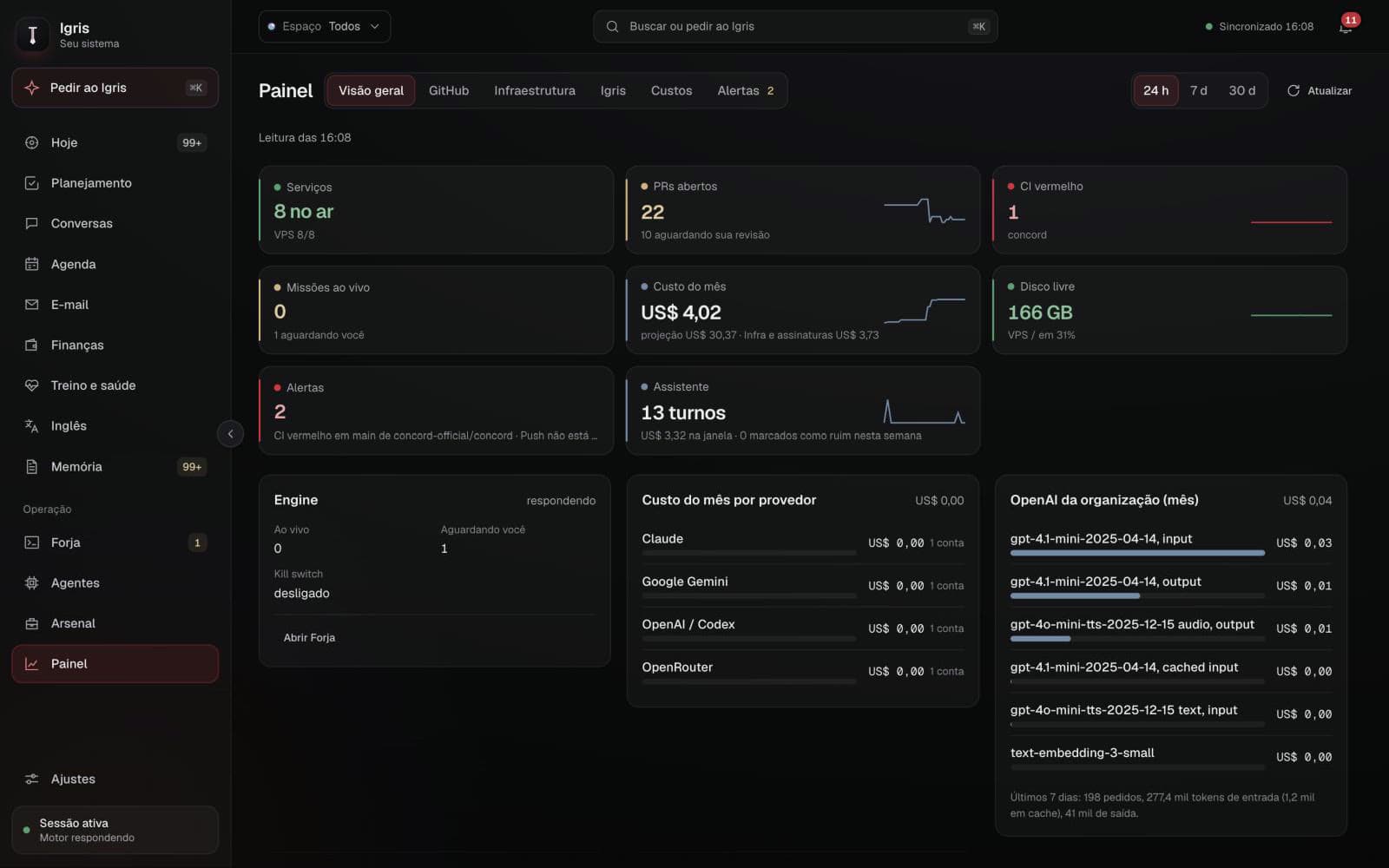
T/07
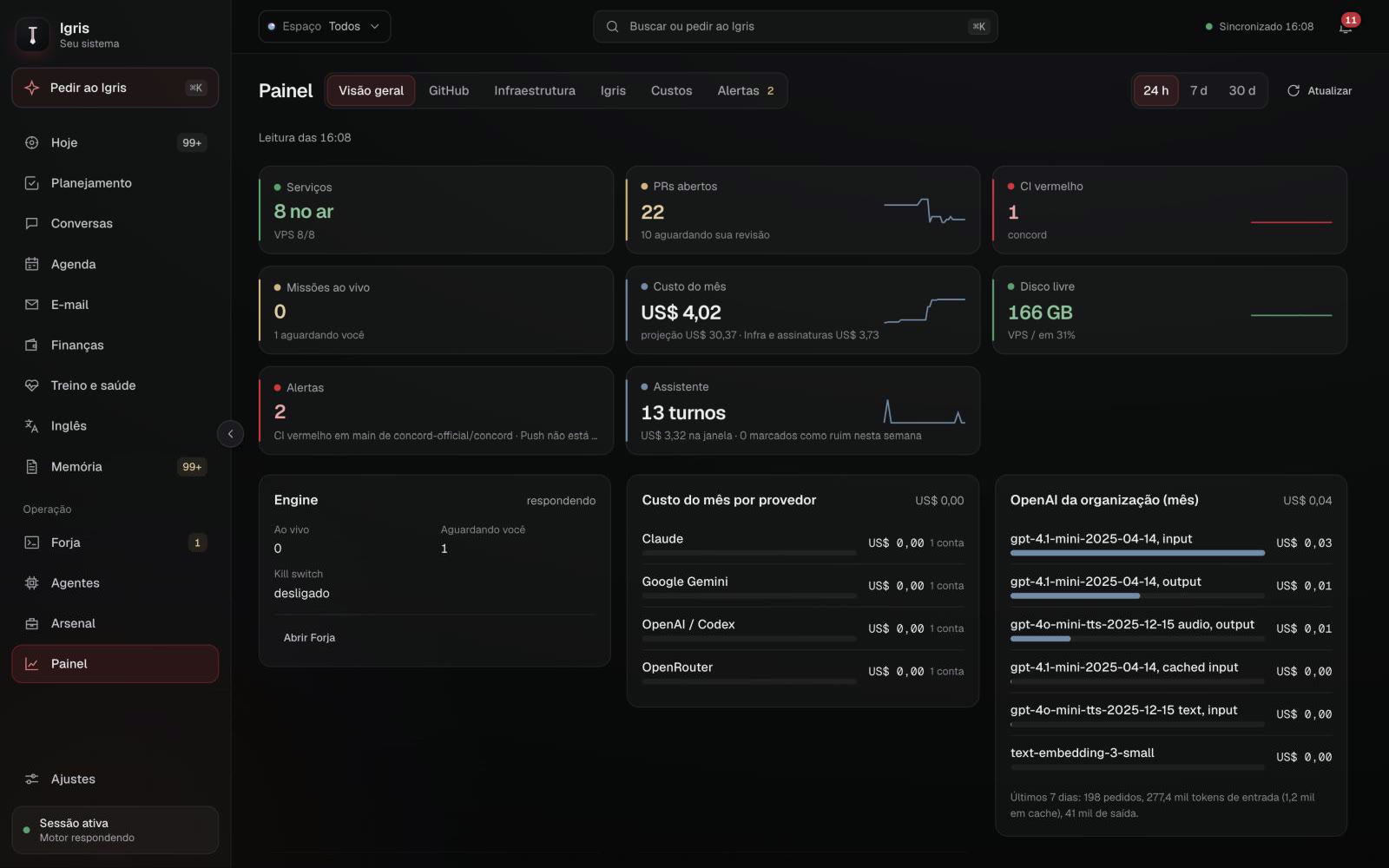
Dashboard
The health of the whole system on one screen: services up on the server, open PRs, CI, monthly cost per provider, disk, alerts and the state of the mission engine.
- Overview, GitHub, infrastructure and costs
- Cost per provider and per OpenAI model
- Kill switch and missions awaiting approval
- igris / ConversationsPrototype
T/08
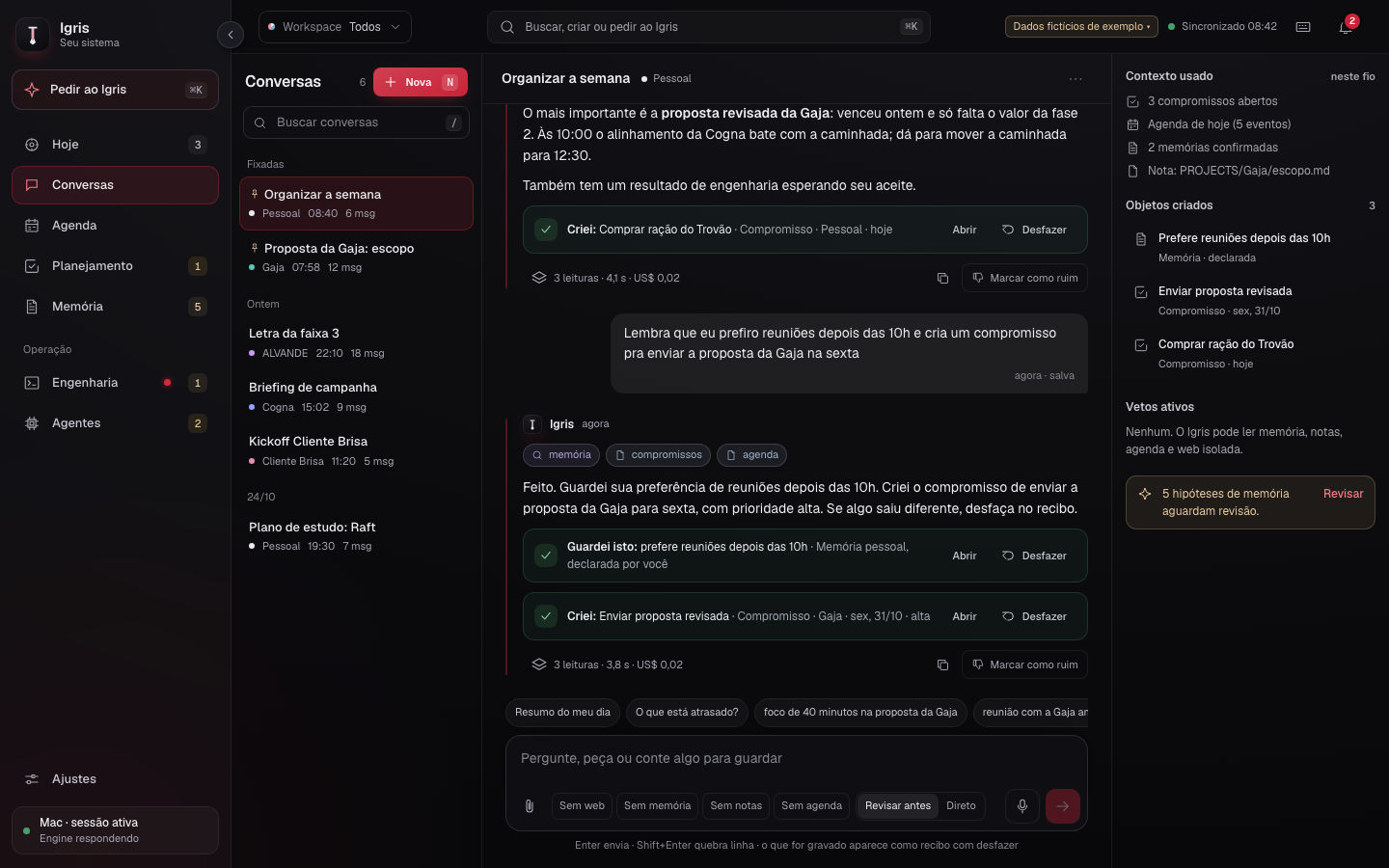
Conversations
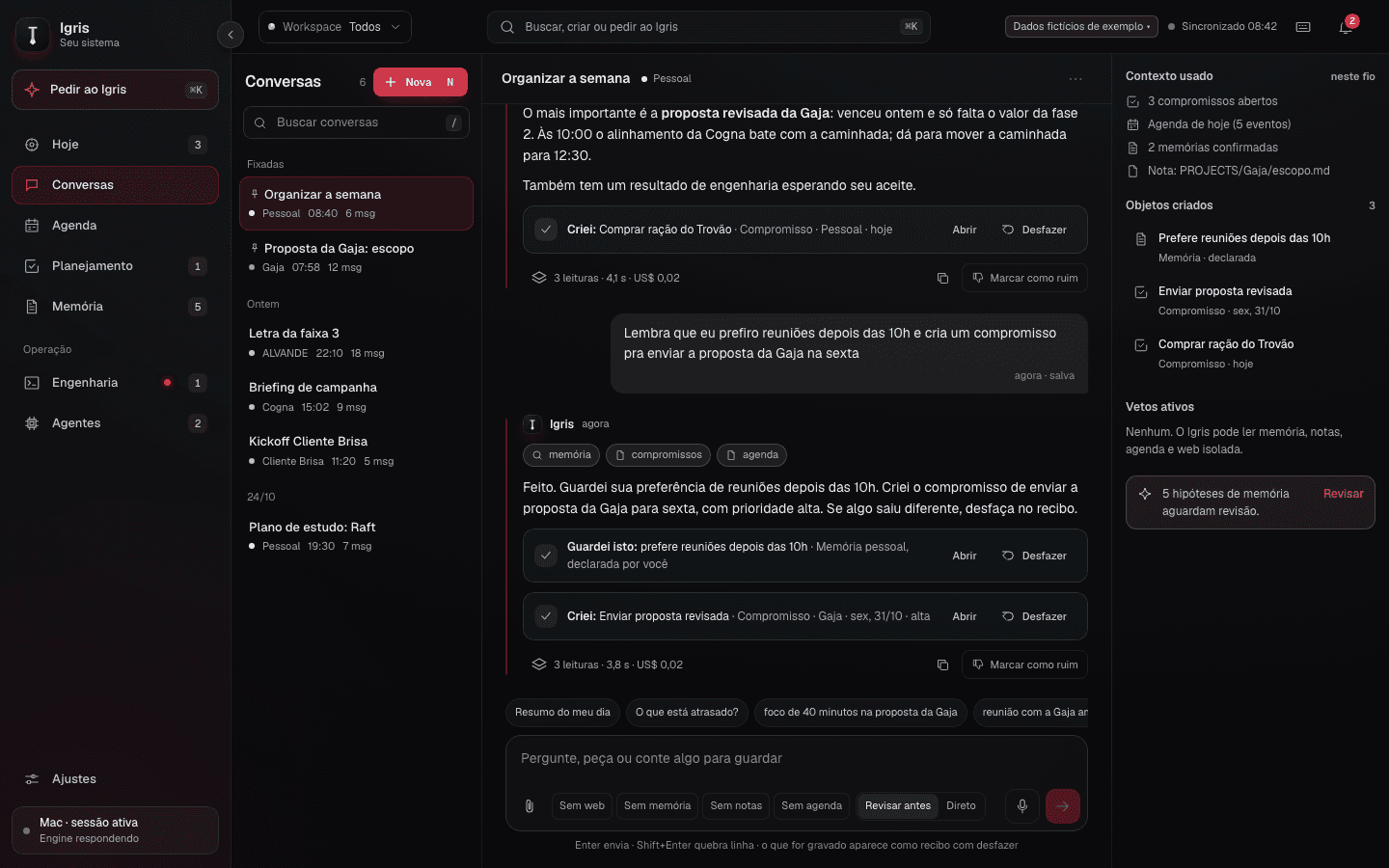
The heart of the system. The conversation reads memory, calendar and notes, and acts: it creates commitments, saves preferences, schedules events. Every action comes back as a receipt with Open and Undo.
- "In this conversation" panel with the context used and objects created
- Cost and reads of every answer in plain sight
- Modes without web, memory, notes, or review first
- igris / CalendarPrototype
T/09
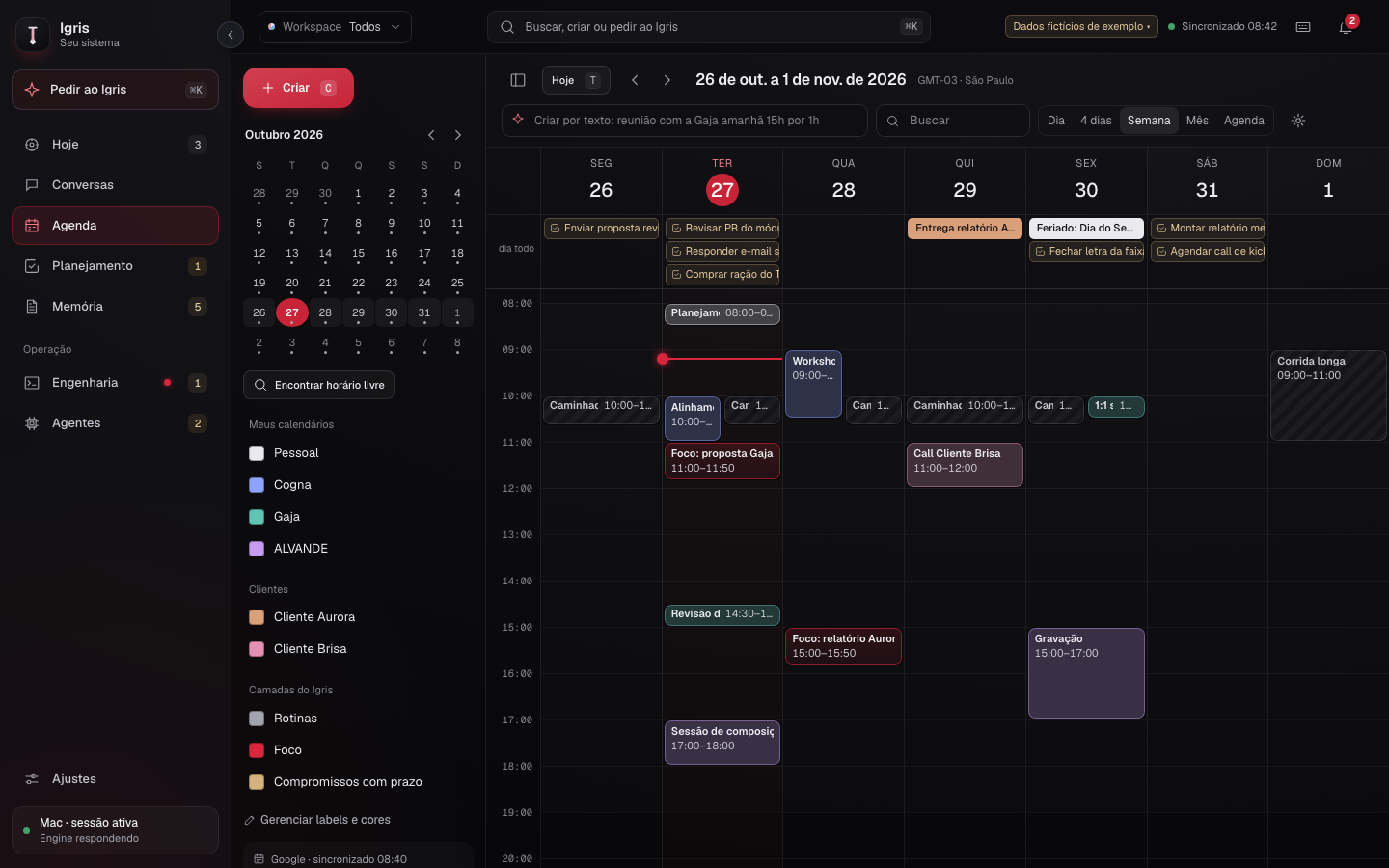
Calendar
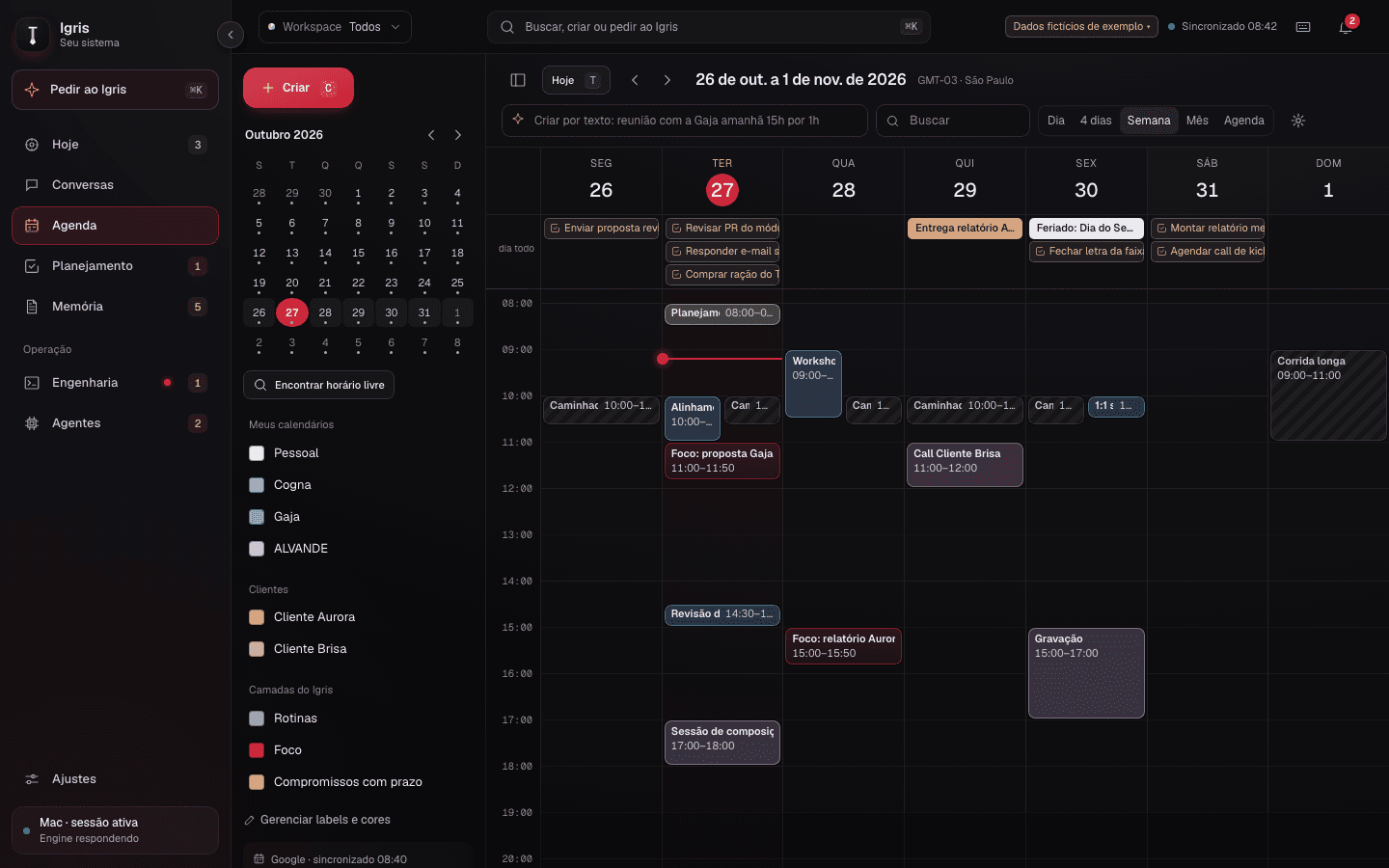
A Google Calendar style calendar with day, four days, week, month and list. It layers Google, routines, focus blocks and dated commitments.
- Create events from natural language
- Find free time and full recurrence
- Calendars per workspace, with colors and labels
- igris / PlanningPrototype
T/10
Planning
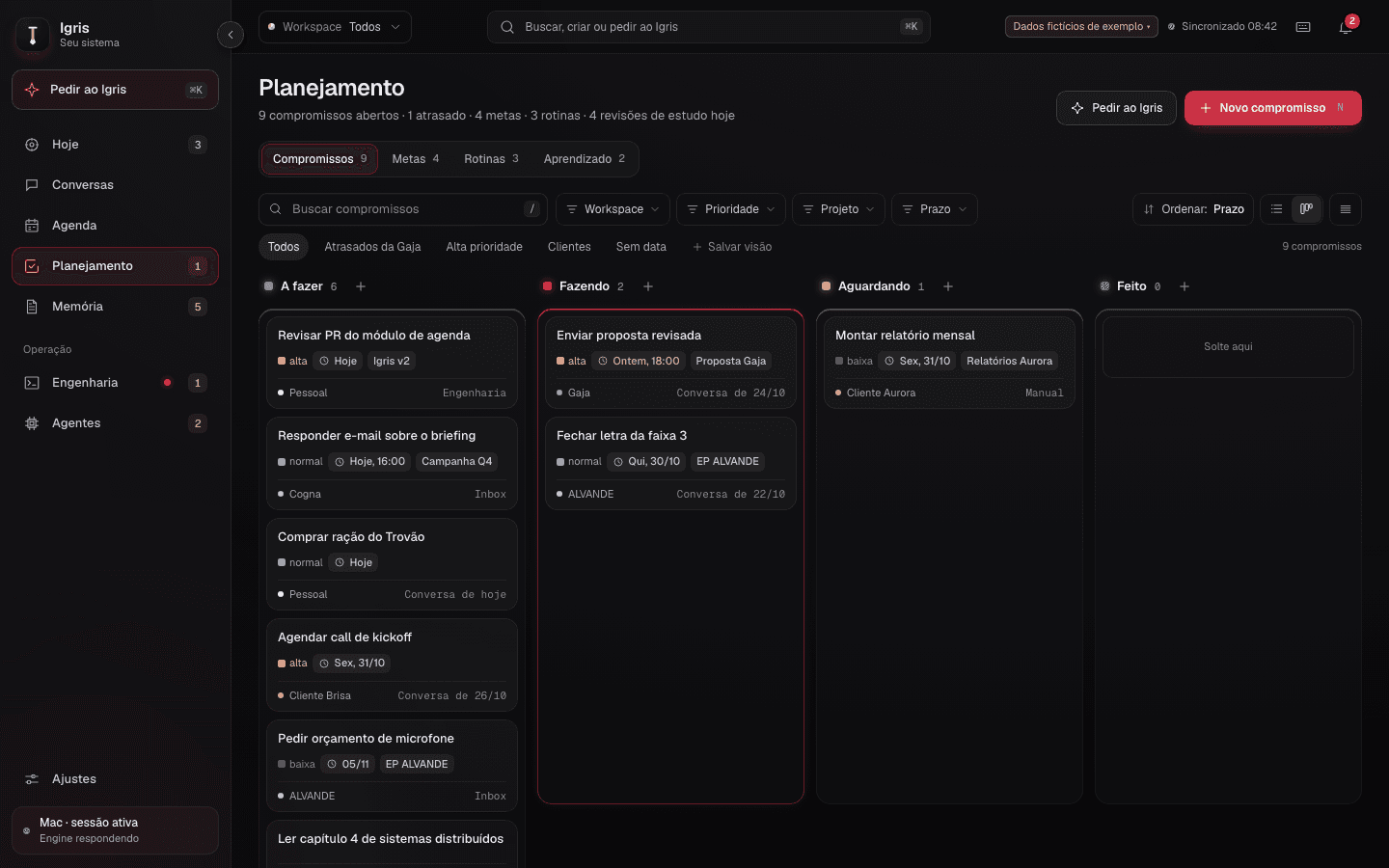
Commitments, goals, routines and learning in one place, as a list or a board. Everything can start in the conversation and be checked here.
- To do, Doing, Waiting and Done board
- Filters by workspace, priority, project and due date
- Each item links back to the right part of the conversation
- igris / MemoryPrototype
T/11
Memory
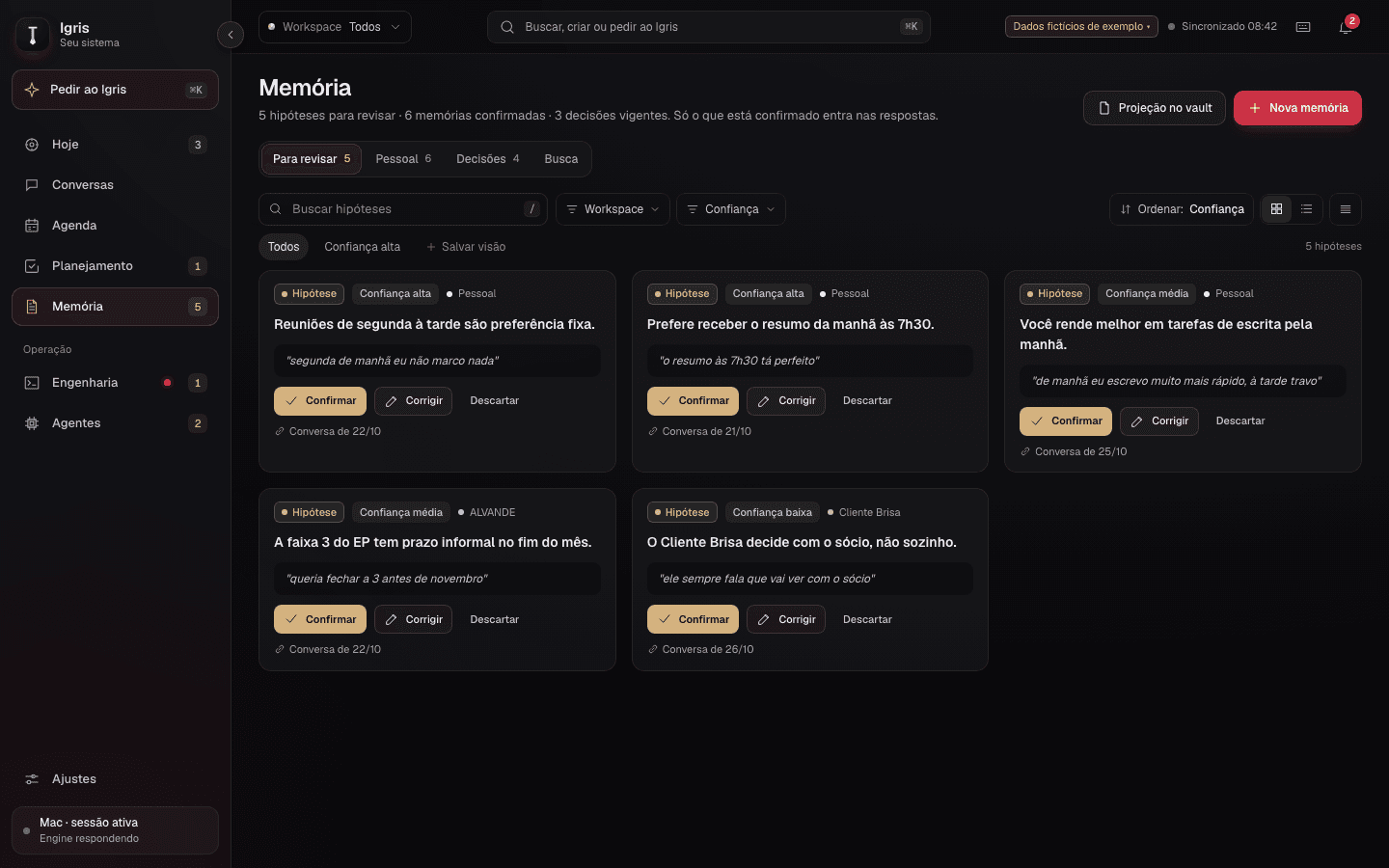
Memory learns from conversations but assumes nothing on its own. What it infers becomes a hypothesis with the quote that triggered it, and only enters answers after I confirm.
- Confirm, correct or discard each hypothesis
- Active decisions and personal memories kept apart
- Projection into the Obsidian vault
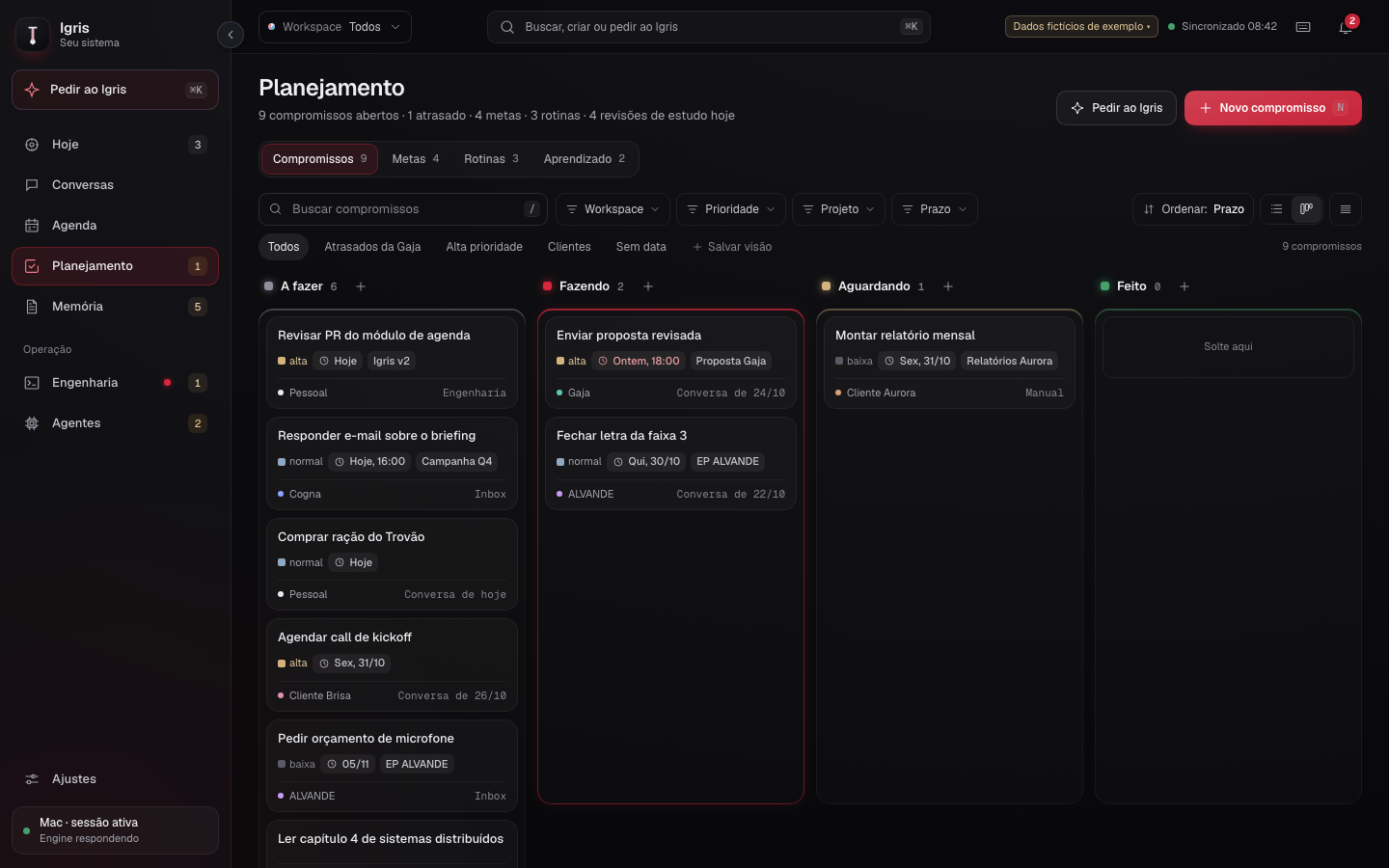
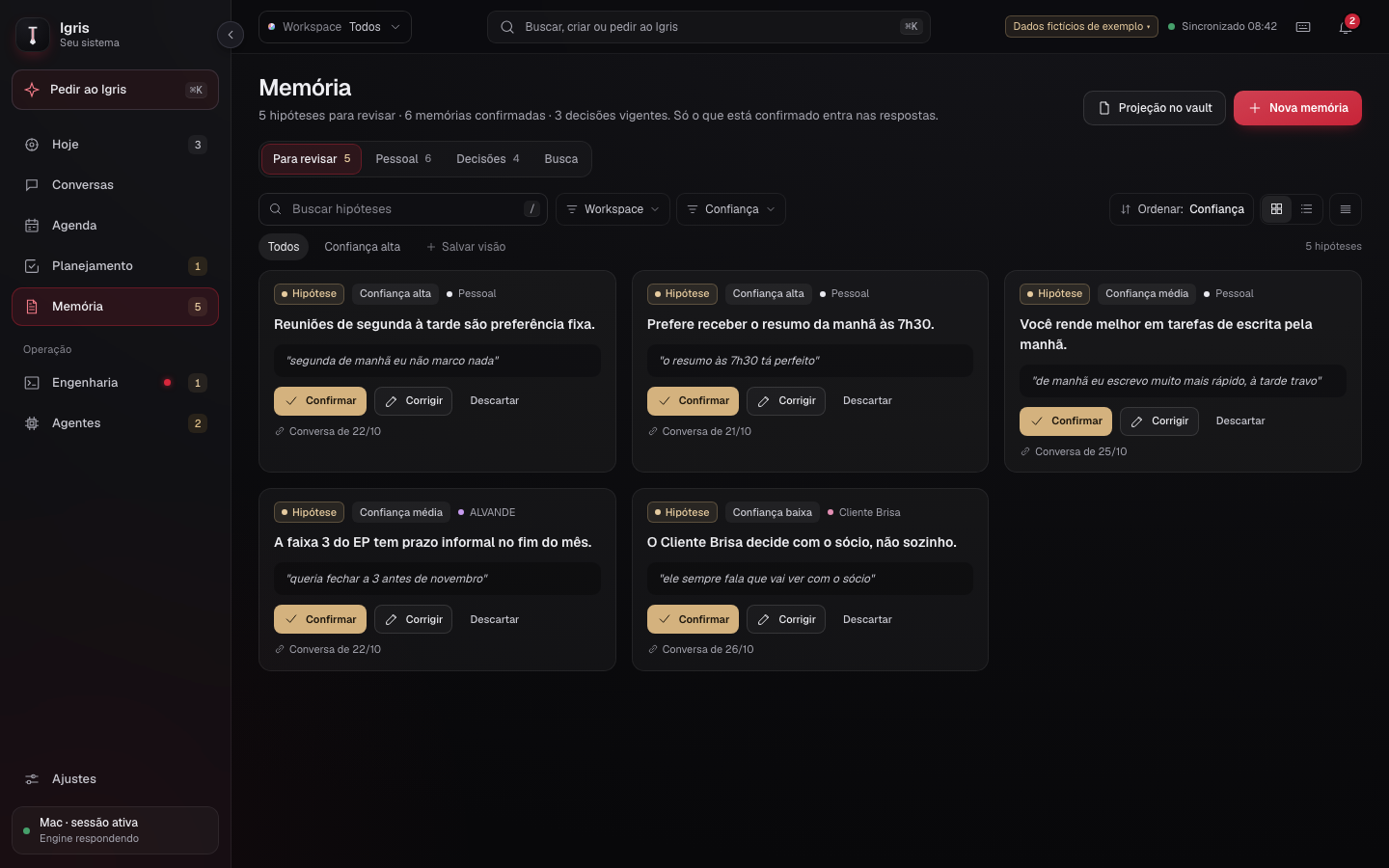
Screens tagged as live app are Igris in daily use, with sensitive data blurred. Screens tagged as prototype use fictional data.
§ And there is more
+01
Live voice
Talk to Igris in real time, with automatic provider fallback when one goes down.
+02
Ask Igris ⌘K
Command palette on every screen: search, navigate, create and send requests to the conversation.
+03
Arsenal
Skills, plugins, MCPs and commands each agent receives, with versions, diff and rollback.
+04
Email
Every inbox in one place, with triage and summaries through the conversation.
+05
Focus
Focus sessions tied to the right commitment, with history and an editable log.
+06
Workspaces
Personal, companies and clients kept apart, with the boundary enforced on the server.